Photo calorie scanner

Short answer
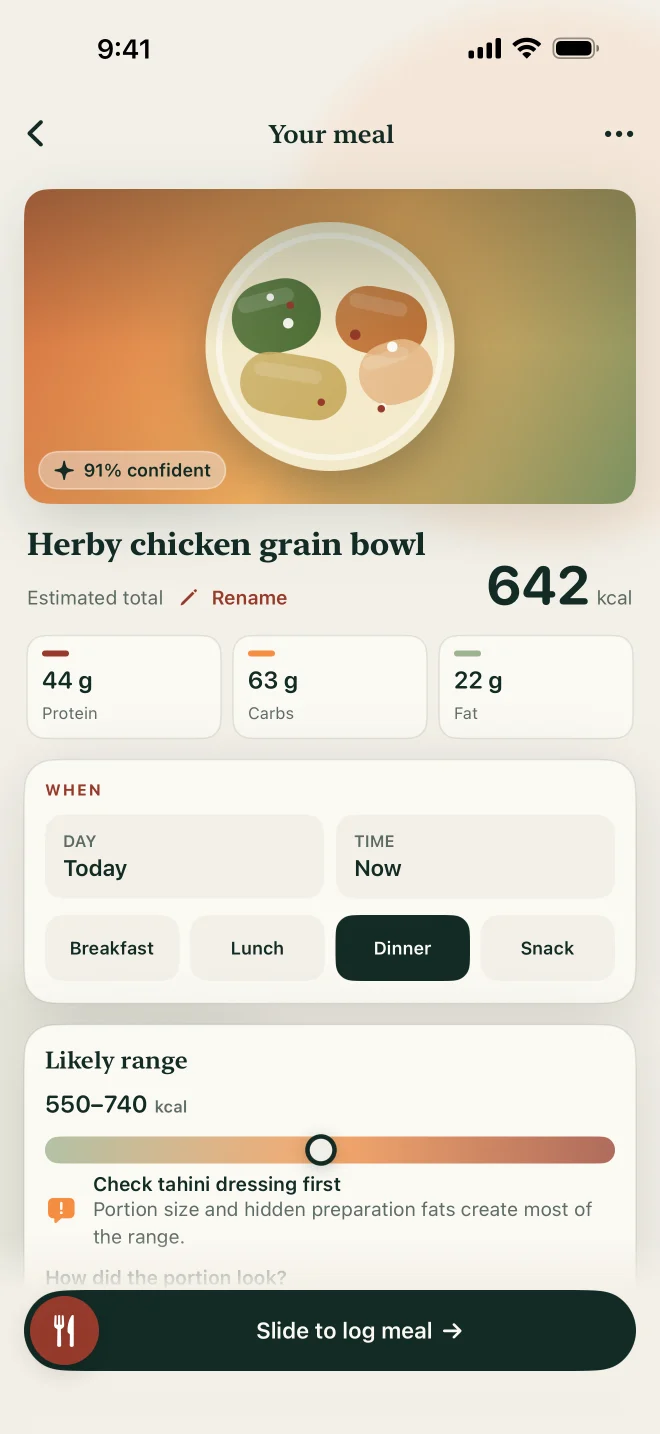
SeeMeEat turns a meal photo into an estimate you can review before saving. Check the foods it identified, adjust portions, and see the calories, macros and available micronutrients. The result includes a confidence range and an assumption to check. SeeMeEat Pro includes unlimited photo scans for $1.99 a month or $9.99 a year in the U.S.
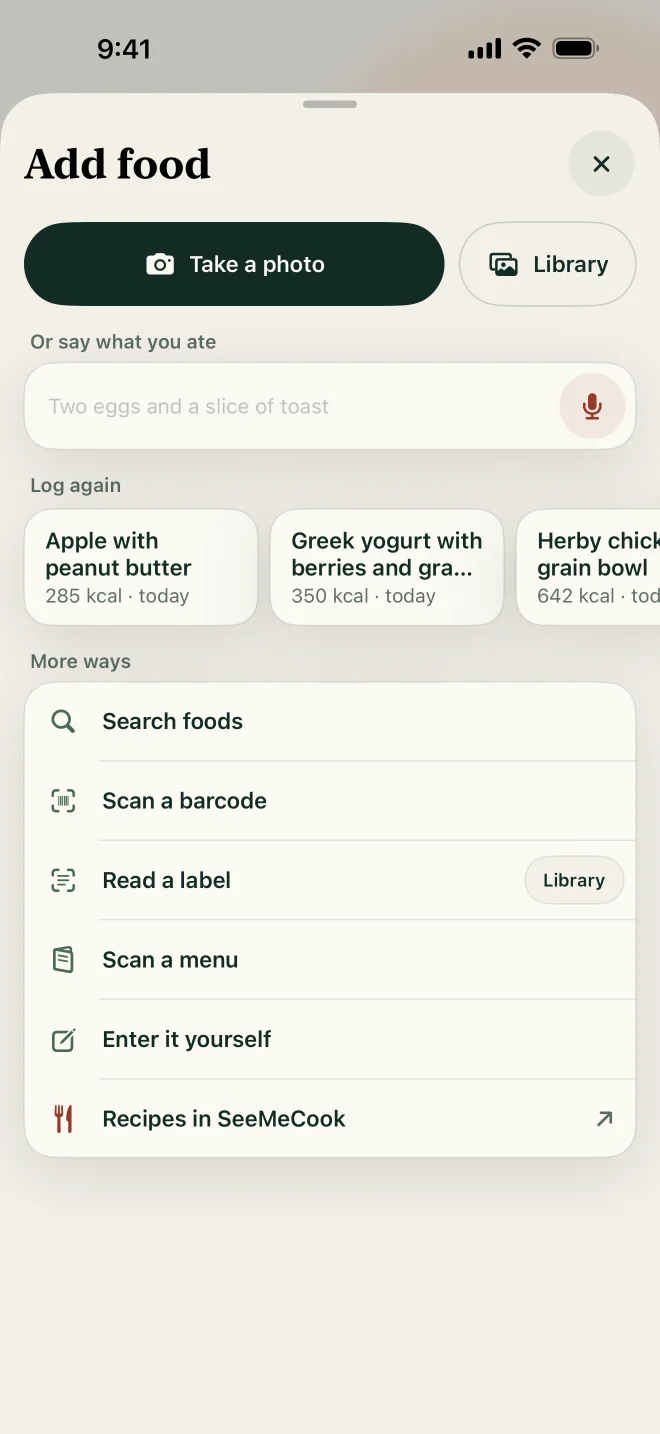
Screens from the iPhone app with demo data.
On this page
What does a photo estimate show?
Everything you need to decide whether to trust it. Each estimate includes:
- The foods it identified, so you can check that it saw the right things.
- Calories, protein, carbohydrate and fat, plus the micronutrients available for those foods.
- A confidence range, rather than a single number presented as exact.
- The assumption most worth checking, so you know where to look first.
You can edit any part of the estimate before logging it. Nothing is added to your journal until you've reviewed it. For the best starting point, photograph the whole plate before you start eating, in good light.
Why does it show a range and an assumption to check?
Because photo estimates are estimates. Research on AI food photos, such as Google's Nutrition5k study, finds that most of the error comes from judging how much food is on the plate, and that some ingredients can be partly or fully hidden by others. A range and a named weak spot tell you how much to trust the number and what to fix first.
What is depth-assisted portion guidance?
An optional mode that uses your phone's depth data to help with portions. It's available on supported phones only, you choose whether to use it, and the raw depth data stays on your phone. In research, depth information has been shown to help most with the hardest part of the job, estimating how much food there is.
What happens after you log a meal?
You can make the good version reusable. Save a corrected meal to Meal Memory and relog it later in one tap. If you eat the same thing on a schedule, such as the same breakfast every weekday, optional AutoLog can log an exact meal you've already reviewed.
How many photo scans do you get?
SeeMeEat Pro includes unlimited photo scans. The price is $1.99 a month or $9.99 a year in the United States, and other storefronts see local prices before purchase.
It also includes unlimited meal descriptions, typed or spoken, plus food search, barcode lookup, nutrition-label reading, manual entry, favorites, exact repeats and AutoLog.
What happens to your meal photos?
They're used to make the estimate, and they stay out of your synced journal. Original meal photos are not part of journal sync, which covers your logged entries across devices after you sign in.
Common questions
Can I try it before subscribing?
Yes, with a demonstration anyone can try.
Does it work on restaurant meals?
Yes. Restaurant plates are among the hardest meals to estimate, which is where the confidence range and the assumption to check are most useful. Add anything you know was used, such as butter or dressing, before you log.
What if the estimate is wrong?
Change it before logging. You can edit anything in the estimate, and once it's right, save it to Meal Memory so the corrected version is the one you reuse.
Sources
- SeeMeEat: AI Calorie Tracker on the App Store. apps.apple.com
- SeeMeEat on Google Play. play.google.com
- Thames Q, Karpur A, Norris W, et al. Nutrition5k: Towards Automatic Nutritional Understanding of Generic Food. CVPR. 2021. openaccess.thecvf.com
Nutrition results are estimates, not medical advice.
Written by the SeeMeEat editorial team under a pen name.